
Look at one computer
Every computer with an agent has its own page in the console, the host page. It shows who the computer is and lets you collect the usual evidence in one click.
Find the computer
- Type part of its name, its IP address or its user’s name into the search box at the top of the console and pick it from the list, or
- open Clients in the sidebar to see all computers, or
- click it under Recently seen on the dashboard.
A green dot means the computer is connected now.
Read the overview
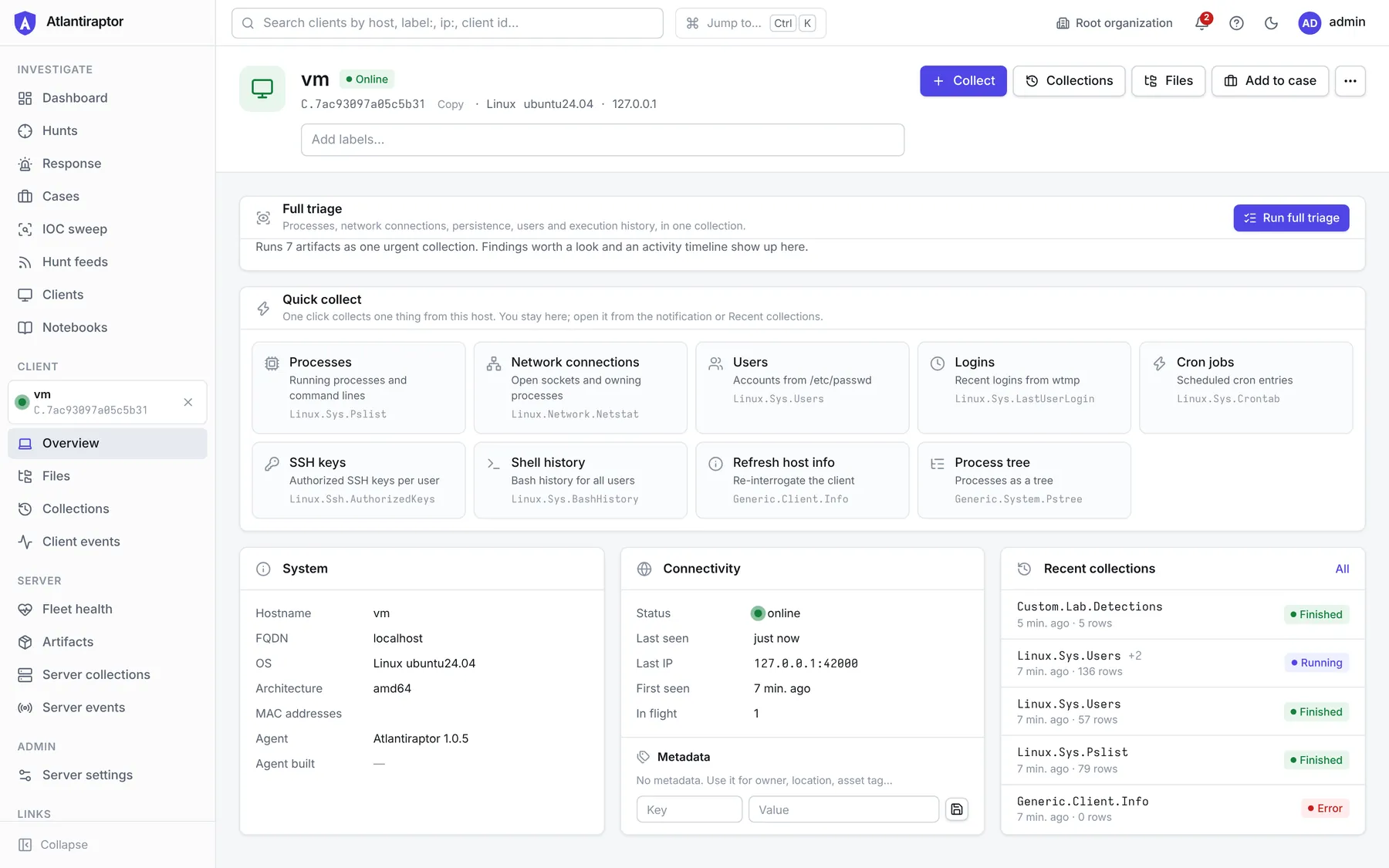
The top of the host page shows the computer’s name, operating system, when it was last seen and from which IP address, its labels, and whether it is quarantined.
Collect with one click
Each tile under Quick triage collects one thing. You stay on the page; a notification tells you when it is done, and the result appears under Recent collections. Click it to read it.
| Windows | Linux | macOS |
|---|---|---|
| Browser history | Processes | Processes |
| Downloads history | Network connections | Network connections |
| Recently run programs | Users | Users |
| Processes | Logins | Launch agents |
| Network connections | Cron jobs | Shell history |
| Users | SSH keys | |
| Services | Shell history | |
| Autoruns | ||
| Scheduled tasks | ||
| Event logs |
Let it look for you: Full triage
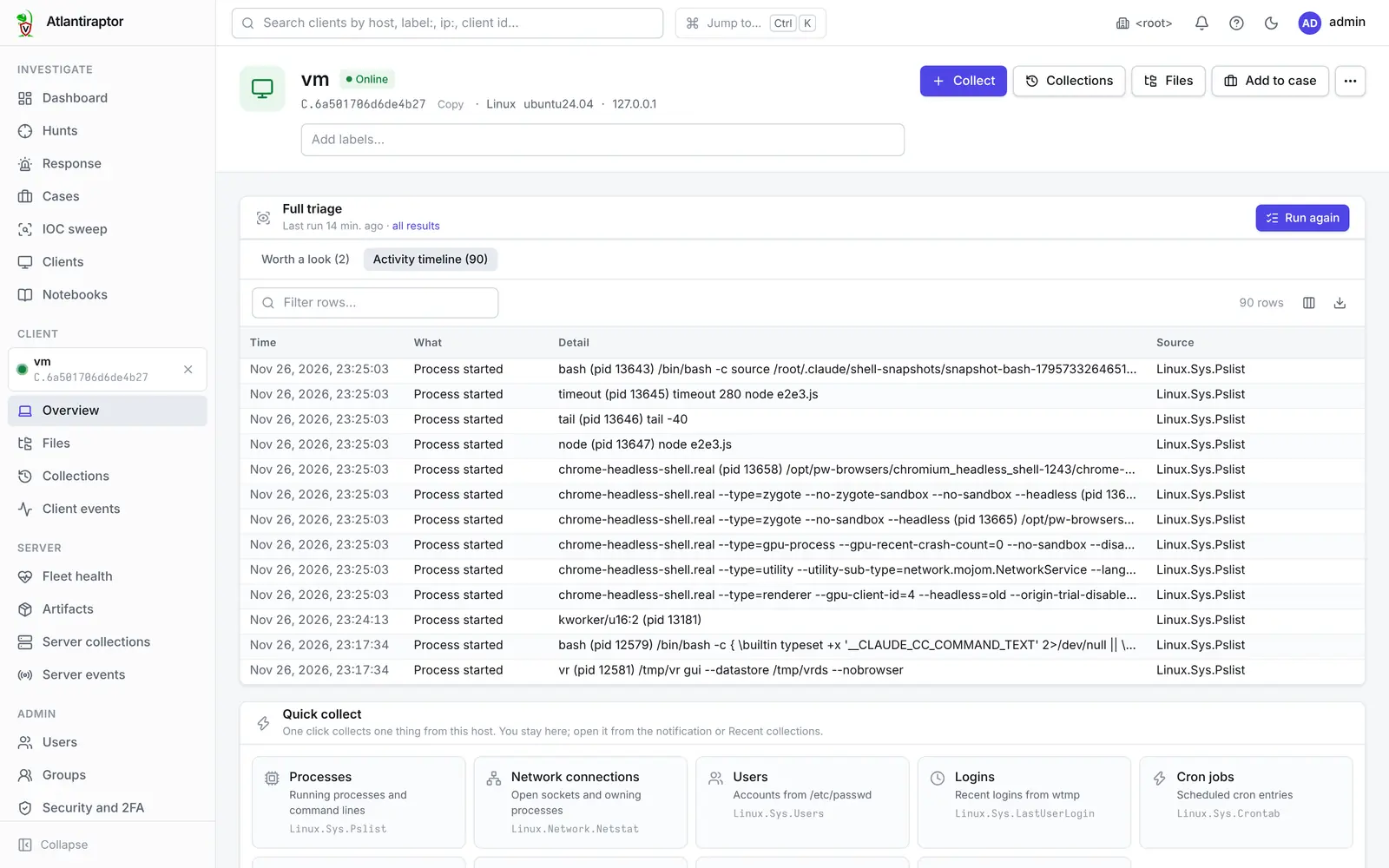
Full triage collects processes, network connections, programs that start automatically, users and recently run programs together. As the results arrive, the page lists findings that are worth a look, each with the reason:
- programs running from Temp, AppData, ProgramData or
/tmp, - programs whose file has been deleted from disk,
- unsigned programs,
- programs that start automatically from folders users can write to,
- programs connected to the internet,
- programs that ran recently but are gone now.
These are hints, not verdicts: plenty of normal software is unsigned. If something looks odd, click it and hunt for it on the other computers.
Full triage also draws an activity timeline of the computer: programs starting, sign-ins, connections and new autoruns, newest first.
More from this page
- Collect opens the full list of collections, for anything that isn’t a tile.
- Files lets you browse the computer’s disks and download files (see Collect a file).
- Collections lists everything ever collected from this computer.
- The ⋯ menu has Quarantine host… (see Quarantine a computer) and Shell, to run a command on the computer.
All the details are in The host page.