
Ask every computer the same question
A hunt runs the same collection on many computers and gathers all the answers in one place. Computers that are switched off answer when they come back, for as long as the hunt runs.
For one quick question (has anyone seen this website, file or program?) use Rapid hunt instead. Use a hunt when you want the same information from everyone: all running programs, all files in a folder, all browser history.
Start a hunt
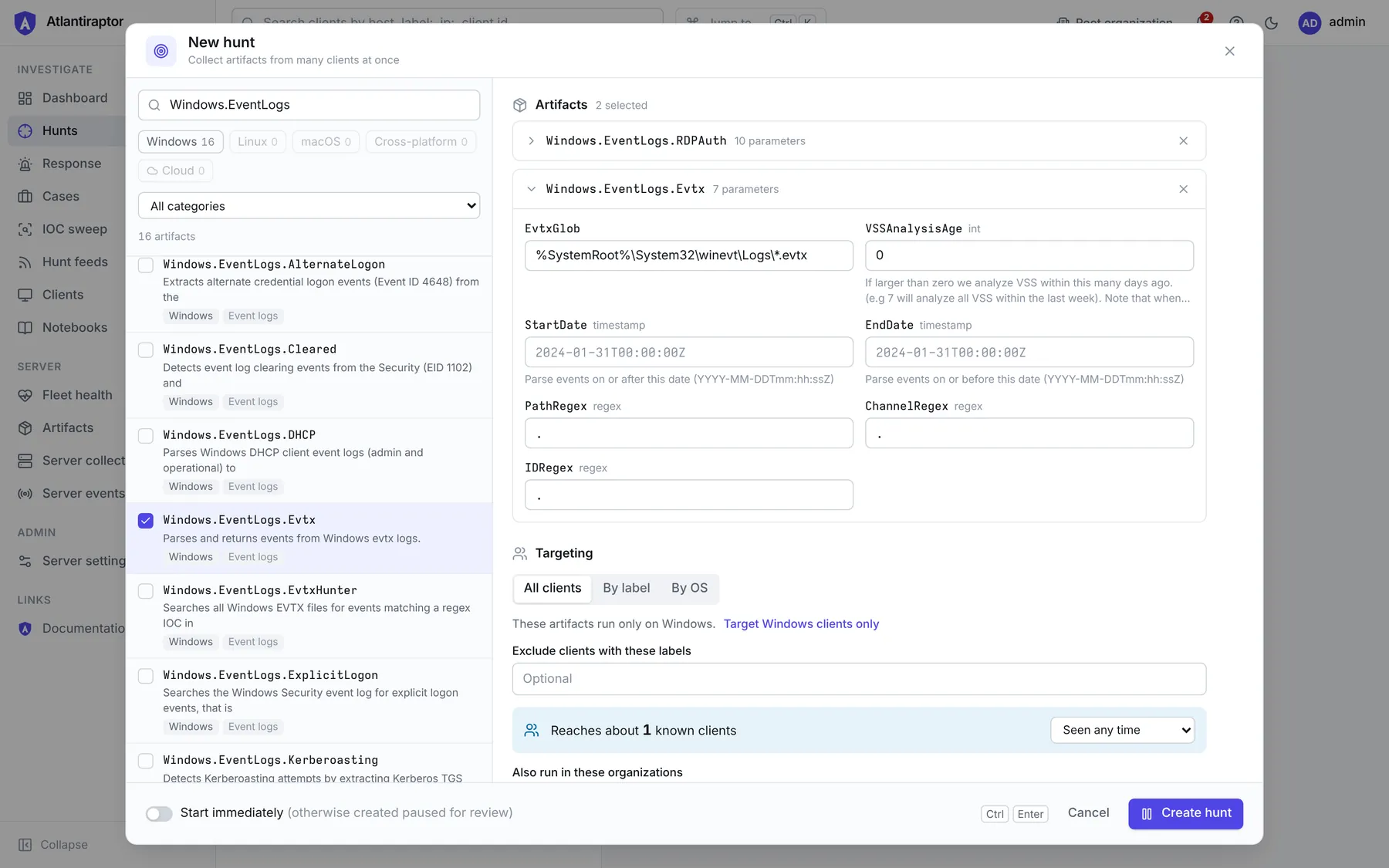
- Open Hunts in the sidebar and click New hunt.
- On the left, search for what to collect and select it. For example
Windows.System.Pslistfor running programs. The how-tos in this section name the right one for each job. - Click it on the right to change its settings, if the how-to says so.
- Choose the computers:
- All clients,
- By label: only computers with a label, such as
serversorfinance(see Labels), - only one operating system.
- Check when the hunt ends: by default after one hour. Set a later end time if some computers are often switched off, so they still answer.
- Click Create and start hunt.
Read the answers
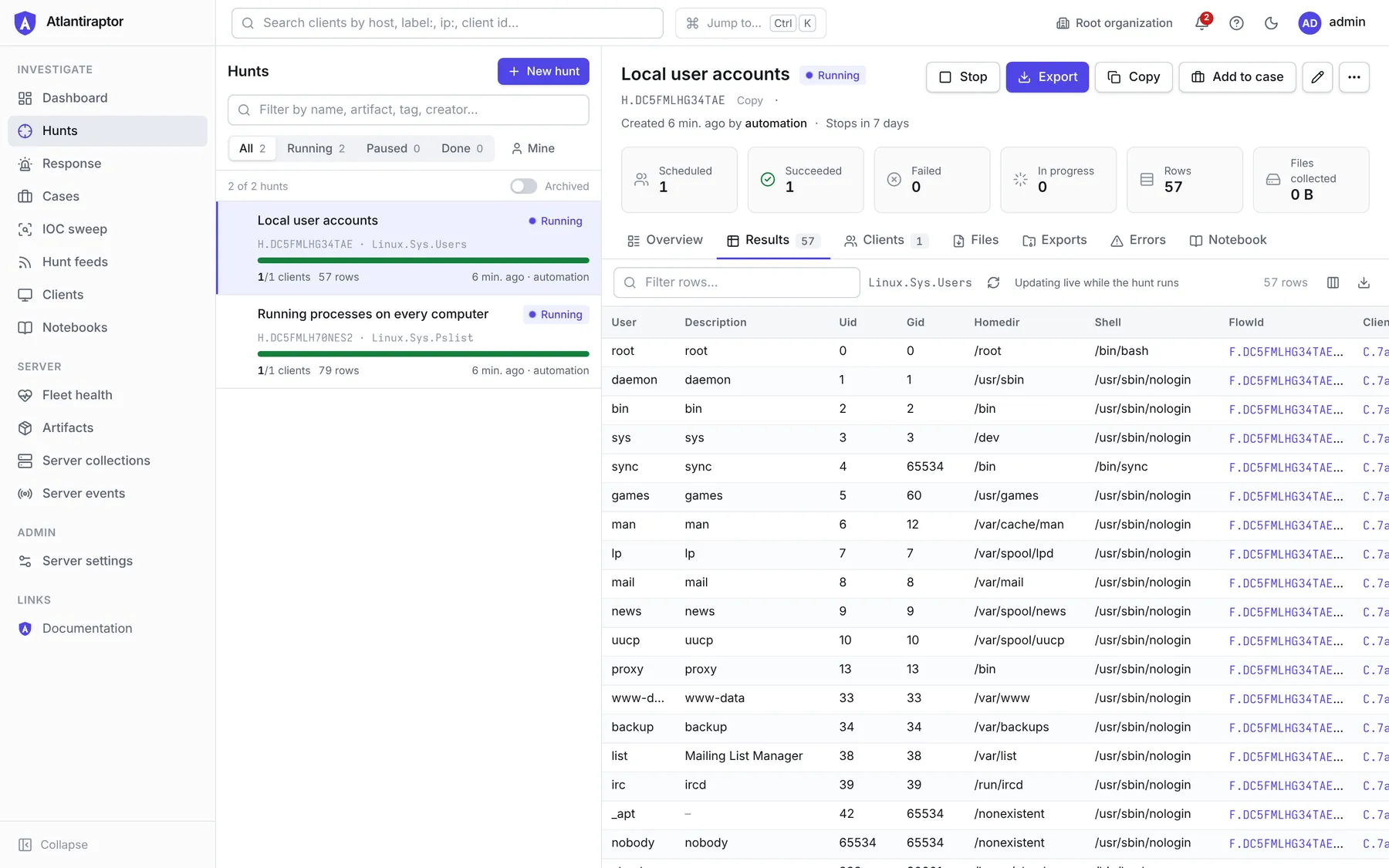
Open the hunt from the Hunts list. Its page shows how many computers have answered, and:
- Results: every answer in one table, with the computer’s name on each row. Filter, sort, and click values to hunt for them.
- Clients: which computers have answered, and any errors.
To download everything, see Download and share what you collected.
Stop a hunt
Click Stop on the hunt’s page. Answers already received are kept.
All the options, such as limits and scheduling, are in Hunts.