
Cloud breach hunting
Attackers increasingly go after identities and cloud tenants rather than endpoints: stolen session cookies, password spraying, malicious OAuth apps, inbox forwarding rules, new access keys. Atlantiraptor hunts a tenant from the server, next to your endpoint hunts, and reports findings in the same form.
| Provider | Page |
|---|---|
| Microsoft 365 and Entra ID | Microsoft 365 |
| Google Workspace | Google Workspace |
| Okta | Okta |
| AWS | AWS |
What it does
- Read-only. Every hunt only reads logs and settings through the provider’s API. Nothing in the tenant is changed.
- One findings format. Every cloud hunt returns the same columns:
Time, Severity, Detection, User, IPAddress, Location, Device, Details. Results of several hunts, and of several providers, read as one list. - Safe credentials. The tenant’s credentials are stored as a secret on the server. Queries name the secret and never see the credential, and each provider’s API address is fixed in the code, so a query cannot send a tenant’s token anywhere else.
The artifacts
Each provider has artifacts under Cloud.<Provider>.*:
- Individual hunts, such as
Cloud.M365.SignIns(new country, impossible travel, legacy authentication),Cloud.M365.InboxRulesorCloud.AWS.AccessKeyAbuse. CompromiseAssessment: all of that provider’s hunts in one collection. Start here when you suspect a breach.Monitor: a server event artifact that collects the provider’s logs continuously, keeps them on your server and raises alerts as suspicious changes happen.Rules: the detection rules shared by the hunts and the monitor.
Browse them all in the artifact reference.
Getting started
- Give Atlantiraptor read access to the tenant, as described on the provider’s page (an app registration, a service account, an API token or an IAM role).
- Store the credentials as a secret of the provider’s type under Secrets (for example Microsoft 365 Creds).
- Open Hunts, New hunt, and pick the provider’s
CompromiseAssessment(or individual hunts). Set the credential parameter to your secret’s name and click Run cloud hunt. Cloud hunts run on the server, so there is no client targeting. - Start the provider’s
Monitorunder Server events so that evidence is kept from now on.
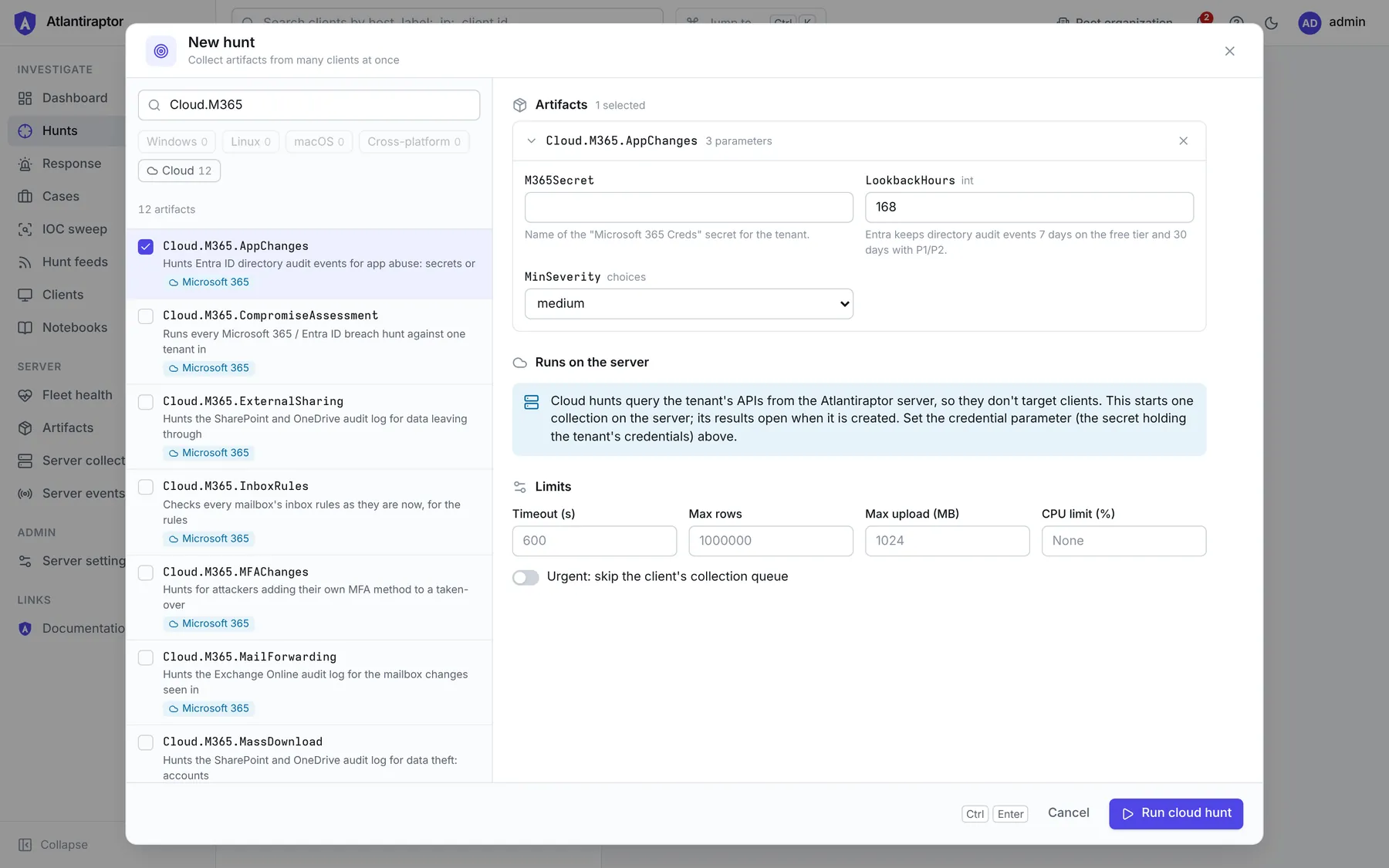
Why run the monitor from day one
Providers keep their logs for a short time: Entra ID sign-ins for 7 days on the free tier (30 with P1 or P2), the Microsoft 365 audit log for 7 days through its API, Okta’s system log for 90 days, CloudTrail’s event history for 90 days. A hunt can only see what the provider still has. The monitor copies the logs to your server as they arrive, so a breach found months later can still be investigated.
Querying tenants from VQL
The same VQL plugins the artifacts use are available in notebooks and
your own server artifacts, for example m365_graph(), m365_audit(),
okta_api(), gws_api() and aws_cloudtrail(). See each provider’s page
and the VQL reference.