
Download and share what you collected
Everything you collect stays on the server until you delete it. To take it elsewhere, for a report, another tool or a colleague:
Set a downloads password first
Open your user menu (top right), then your preferences, and set a downloads password. Zips you download are then locked with it, which stops your own antivirus from deleting malware samples, and keeps sensitive evidence safe on the way. See Preferences.
One collection
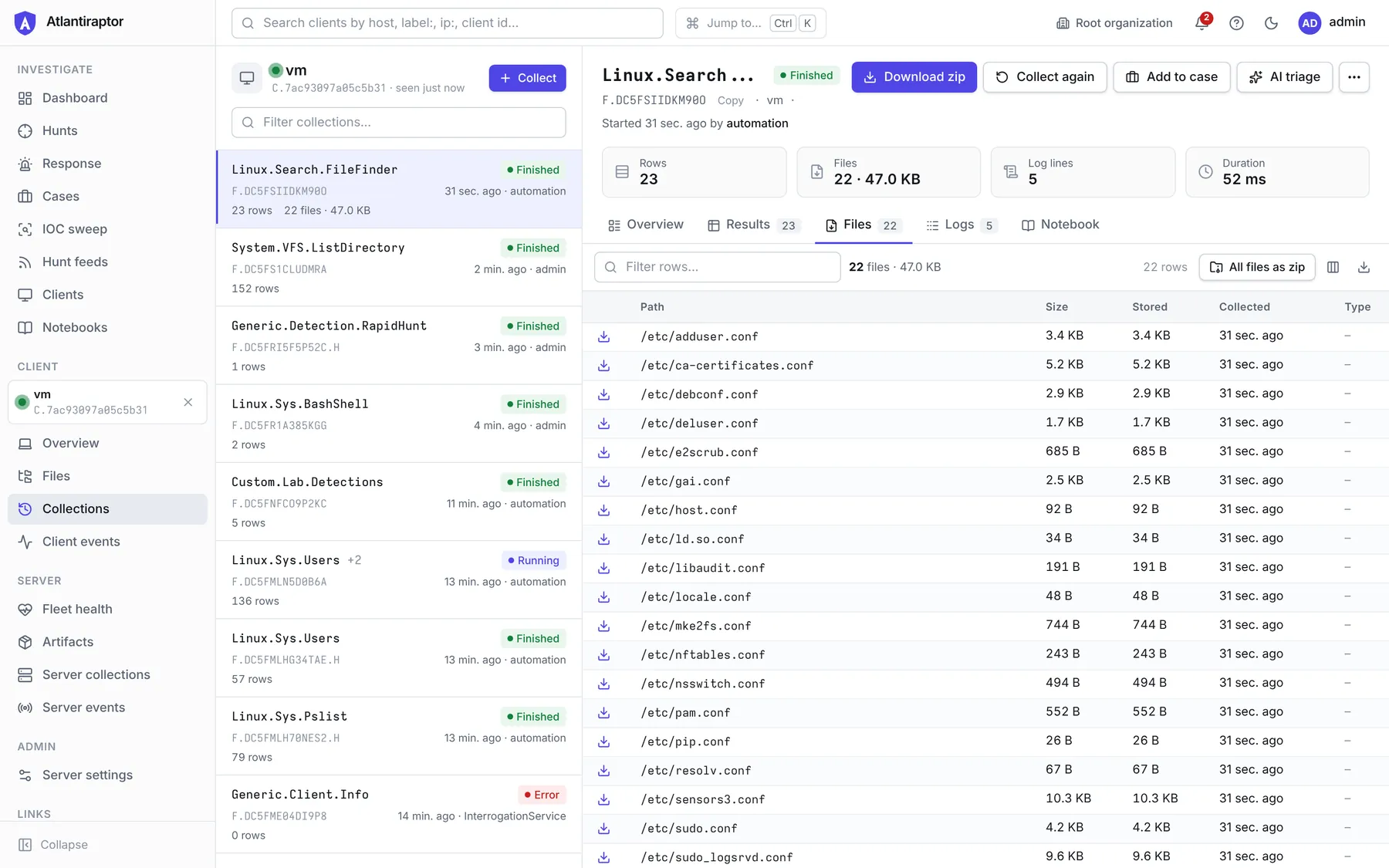
Open the collection (from the host page’s Recent collections, or Collections):
- Download zip on its Overview tab, or All files as zip on its Files tab, downloads everything: results, log and collected files.
- On the Files tab, download a single file.
- In the Results table, the export menu saves the table as CSV or JSON, ready for Excel or another tool.
A whole hunt
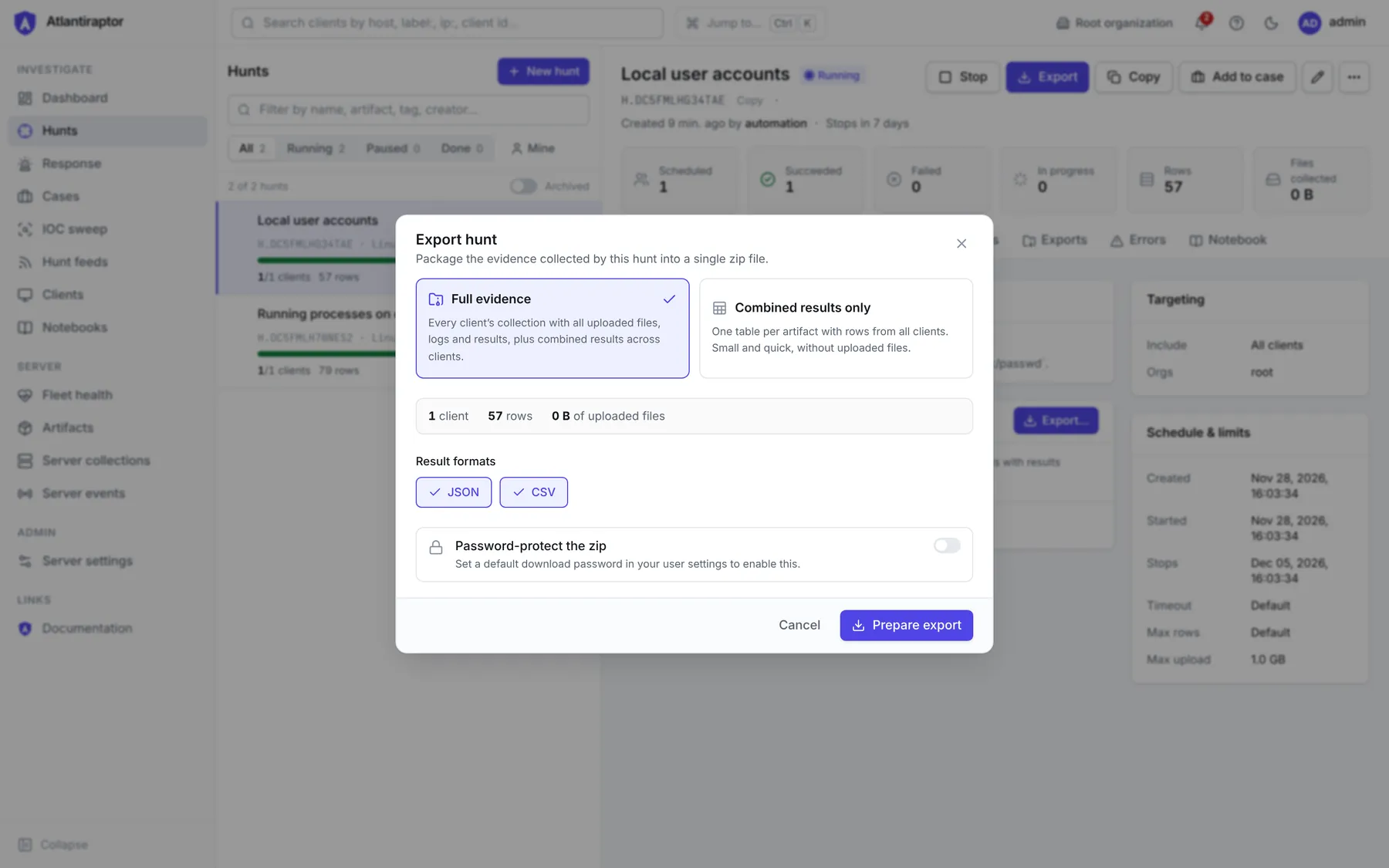
- Open the hunt and click Export.
- Choose JSON, CSV or both, and whether to password-protect the zip.
- Click Prepare export. The zip downloads when it is ready, and stays on the hunt’s Exports tab.
Keep it together: cases
To keep the collections, indicators and notes of one investigation together, add them to a case with Add to case.