
Remote shell
The Shell page runs commands on one host and shows their output, like a terminal. Open it from the host page’s menu.
Shells
| Shell | On | Runs with |
|---|---|---|
| PowerShell | Windows | Windows.System.PowerShell |
| cmd | Windows | Windows.System.CmdShell |
| bash | Linux, macOS | Linux.Sys.BashShell |
| VQL | all | Generic.Client.VQL (a VQL query on the client) |
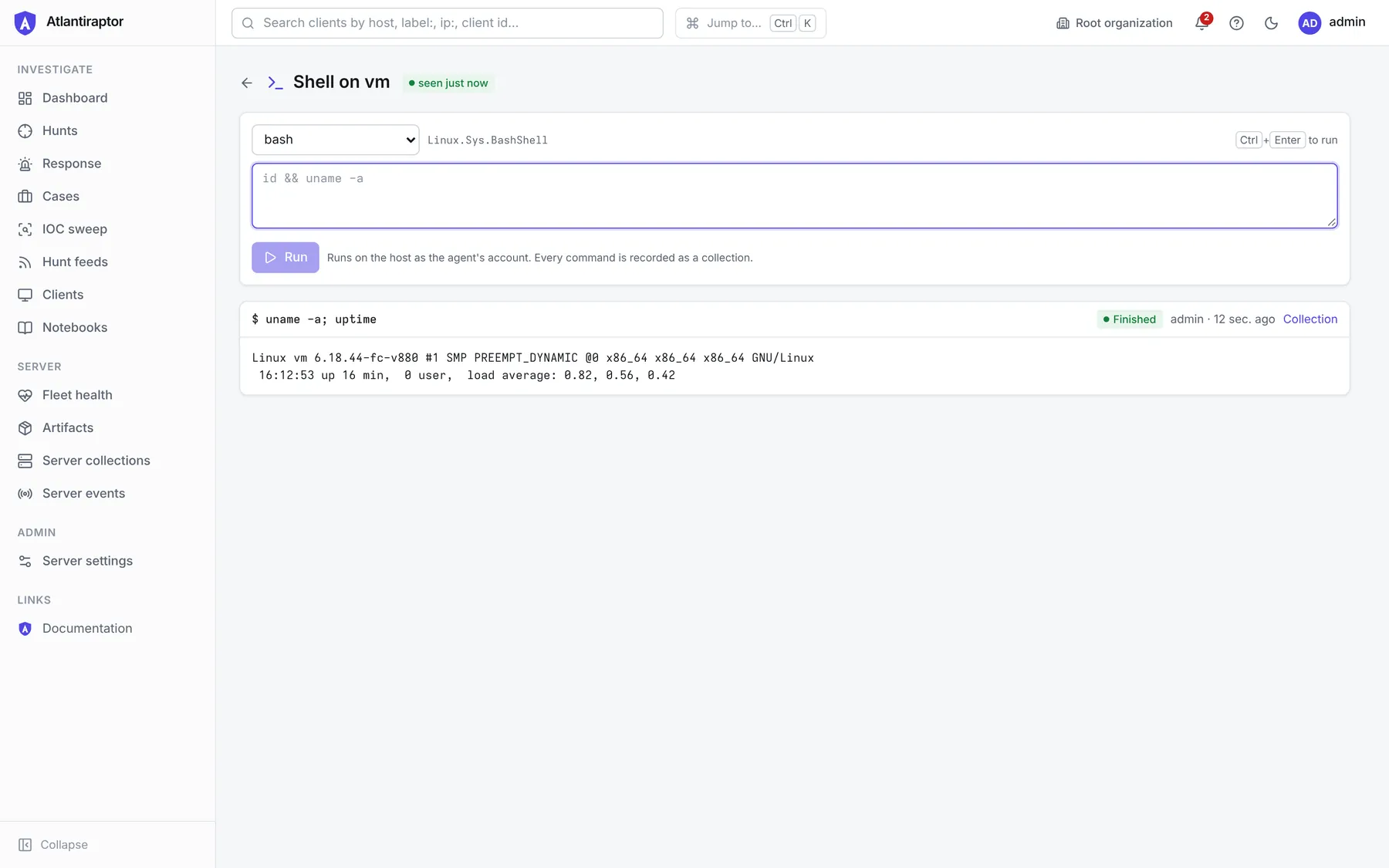
Type a command and press Enter. Commands and their output appear newest first. Each command is one urgent collection of the shell artifact, so it starts at once if the host is online, and its output, exit status and errors are kept on the server.
What to know
- Commands run as the agent’s account: SYSTEM on Windows, root on Linux and macOS. Be careful.
- Each command runs on its own: there is no session state between commands
(a
cddoes not carry over). Chain commands on one line instead. - Interactive programs (that wait for input) do not work. Commands that run for a long time stop at the collection timeout.
- Every command is recorded as a collection under the host’s
Collections, with who ran it. The
Server.Monitor.Shellserver event artifact can also log every shell command for review.
Permissions
Running shell commands requires the EXECVE permission (roles
responder and administrator). Because it is effectively full control of
the endpoint, grant it sparingly.
Prefer artifacts when you can
The shell is handy for a quick look. For anything you will do more than once, or on many hosts, use or write an artifact: its output is structured into columns you can filter, sort, hunt with and pivot on, and it is reviewed and versioned.