
Hunt feeds
Hunt feeds (a premium subscription) brings hunt packs written and kept current by Atlant Security’s threat hunters into your console: detections for the techniques and tools seen in current incidents, with up-to-date indicator lists. New and updated packs arrive by themselves, and you start any of them as a hunt in one click.
Activating the subscription
- Open Hunt feeds in the sidebar (needs a server administrator).
- Enter your Licence key (
ATL-XXXX-XXXX-XXXX) and save. - The server fetches the feed. The Subscription card then shows Active, who it is licensed to, the plan and the date it is paid until.
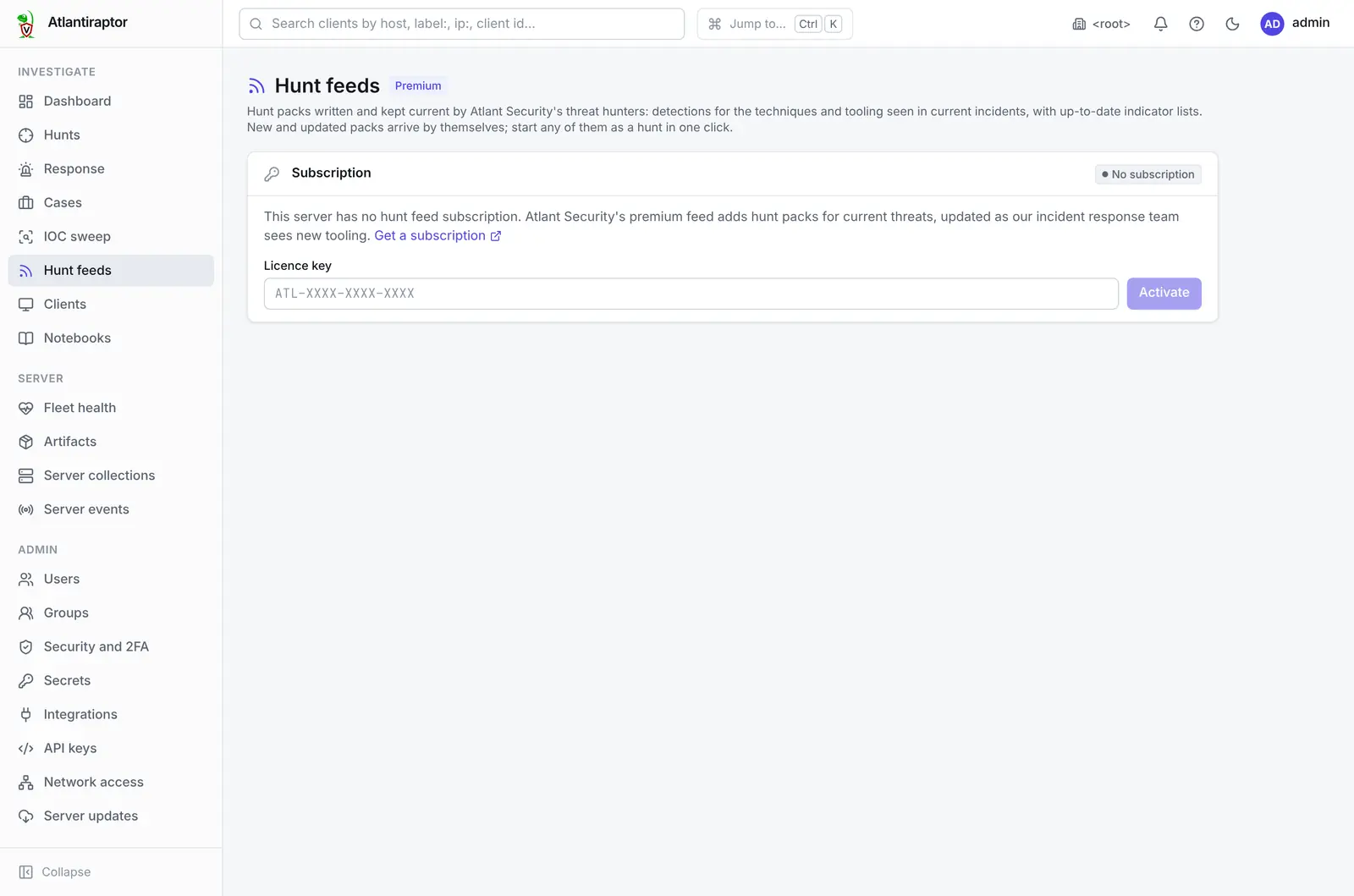
To get a key, use Contact Atlant Security on the page. Change key and Remove key replace or remove it; removing it removes the packs (results of hunts that already ran are kept).
The server must be able to reach https://feeds.atlantsecurity.com (HTTPS,
port 443). It uses the proxy from the server’s HTTPS_PROXY environment
variable if one is set.
How the feed stays current
- The server checks for updates shortly after it starts, then every 6 hours. Sync now checks at once.
- Every feed is signed by Atlant Security. The server checks the signature with keys built into the official release and refuses anything else, so feed content cannot be tampered with on the way.
- Packs are loaded as read-only artifacts named
Atlant.Feed.*. You can read their VQL under Artifacts, but not edit them. - If the subscription ends or the key is revoked, the packs are removed (within about two weeks at most, even if the server cannot reach the feed service). Renewing brings them back at the next sync with nothing to do on your side.
The status badge on the Subscription card tells you where you are:
| Status | Meaning |
|---|---|
| Active | The feed is current |
| Waiting for the feed | The key is saved and the first sync has not finished |
| No subscription | No key entered |
| Subscription ended | The subscription expired; renew it to get the packs back |
| Licence key not accepted | The key is unknown or was revoked |
| Not available in this build | The server is not an official Atlant Security release and cannot verify the feed |
Using the packs
Every user who can read results sees the packs. Each card shows the pack’s severity, summary, the techniques it covers, its artifacts, references, and when you last hunted with it. New and updated lists packs that arrived or changed in the last two weeks; All packs lists everything; search finds packs by name, technique or artifact.
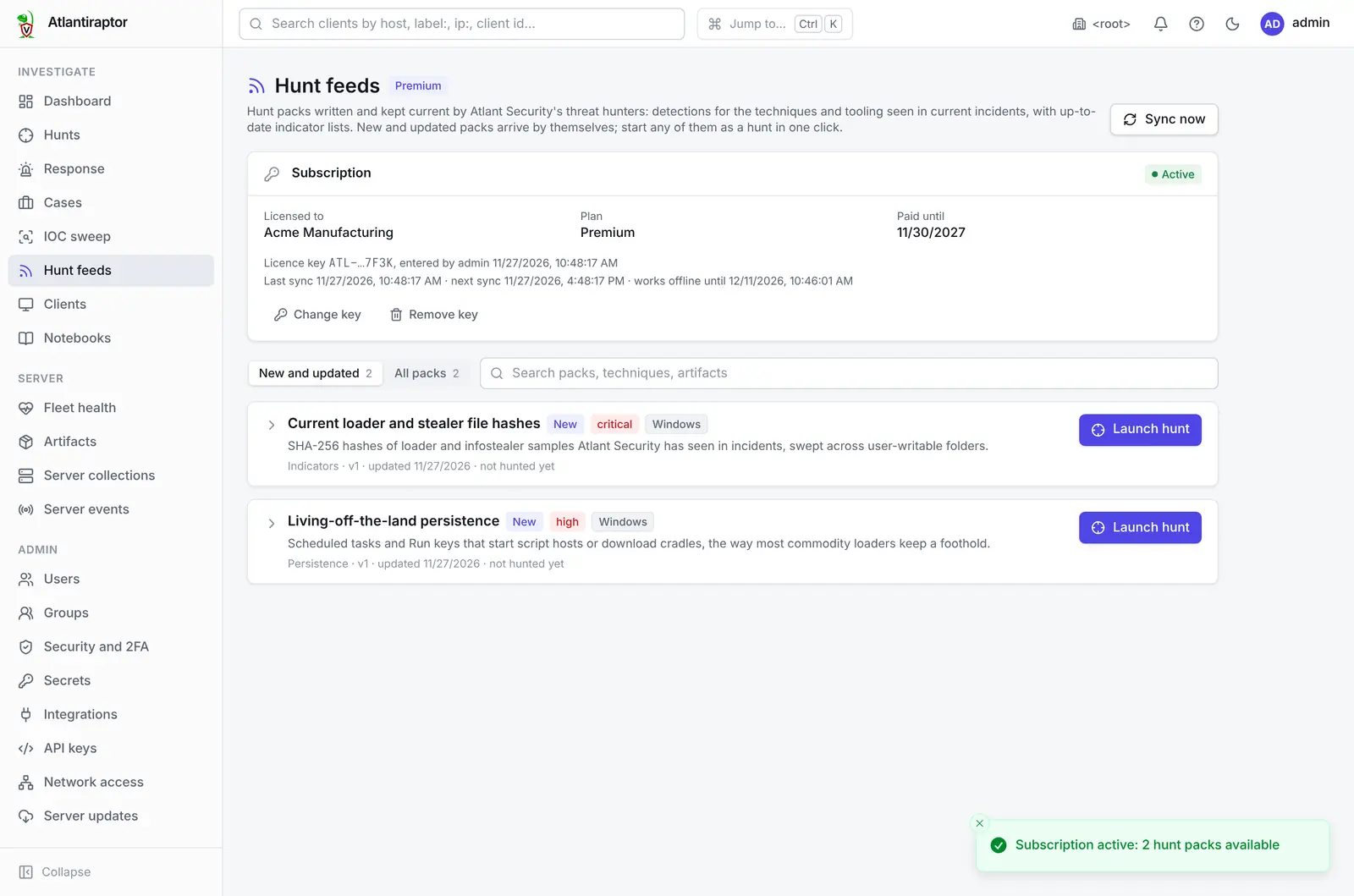
Click Launch hunt on a pack (needs the START_HUNT permission) to start it:
- Clients: all clients, or only Windows, Linux or macOS,
- Runs for: how long the hunt waits for clients to come online, or Until stopped,
- the pack’s parameters, prefilled with Atlant Security’s recommended values.
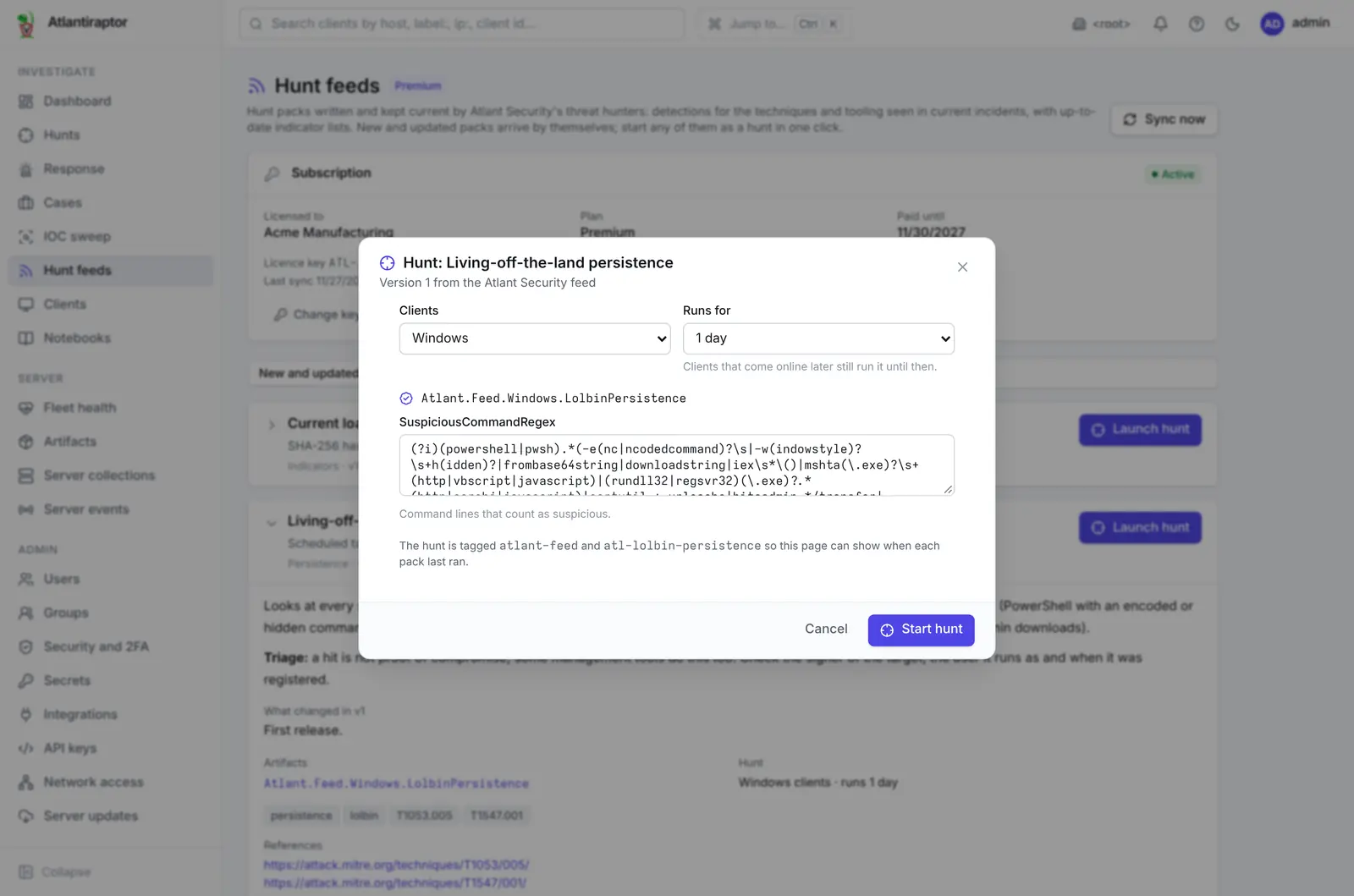
Start hunt creates and starts an ordinary hunt, tagged with the pack, so its results, exports and notebook work as for any hunt.
Changes are audited
Setting or removing the licence key, and every feed that is installed or refused, is written to the audit log.