
Add more computers
Each computer needs the agent and your server’s client configuration, which tells the agent where the server is, which certificate to trust and the enrollment secret (the org’s nonce). The console builds ready-to-run install commands with the configuration already inside.
The quick way: Deploy a client
- In the console, open Clients and expand Deploy a client at the bottom of the page. (Only server administrators see it.)
- Pick the tab for the computer: Windows, Linux, macOS or Microsoft Intune.
- Copy the command, and paste it on the computer: on Windows into
PowerShell run as administrator, on Linux and macOS into a terminal
(it uses
sudo).
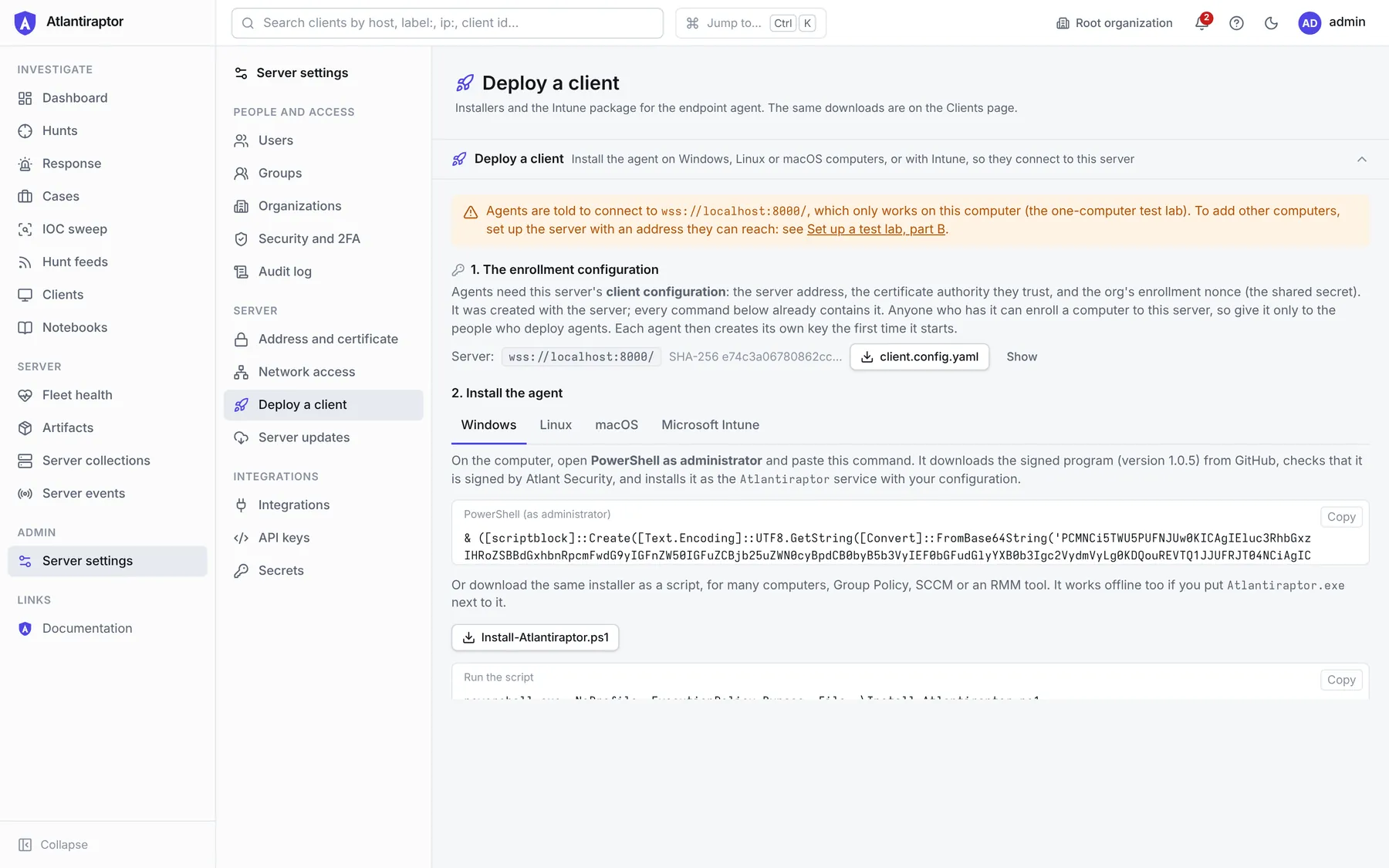
On Windows the command downloads the signed Atlantiraptor.exe from
GitHub, checks that Atlant Security signed it, and installs it as the
Atlantiraptor service. The same installer is available as a script
(Install-Atlantiraptor.ps1) for Group Policy, SCCM or an RMM tool. For
Intune, the console builds a ready-to-upload Win32 app package: see
Deploying with Intune.
If the section warns that agents connect to localhost, the server was
set up for agents on its own computer only, and other computers can’t
reach it. See
Agents on other computers.
Windows: the installer
The easiest way is an MSI installer with your client configuration inside. It installs the agent as the Windows service Atlantiraptor and upgrades it in place when you install a newer version.
- Ask Atlant Security for an MSI built for your server and signed with its certificate, or
- build one yourself as described in Deploying agents.
Then install it on each computer:
- By hand: double-click the MSI, or run
msiexec /i Atlantiraptor-amd64.msi /qnas an administrator. - Intune: add it as a Line-of-business app and assign it to a device group, or use the console’s Intune package (see Deploying with Intune).
- Group Policy: assign it under Computer Configuration > Policies > Software Settings > Software installation.
- SCCM or another tool: use the
msiexeccommand above.
Windows: without an installer
On a few computers, copy Atlantiraptor.exe and client.config.yaml to
the computer and run, as an administrator:
.\Atlantiraptor.exe --config client.config.yaml service install
Linux and macOS
Use the Linux or macOS tab of Deploy a client: put the
atlantiraptor program for that system in a folder and paste the command
there. The server can also build Debian and RPM packages. See
Deploying agents.
Check that it worked
Within a minute the new computer appears on the dashboard under Recently seen and under Clients. If it doesn’t, see Agent problems.
Group your computers
Give computers labels, such as servers, finance or laptops, to
target hunts and responses at a group. Label rules can label new computers
automatically by name or operating system. See Labels.