
Your first Rapid hunt
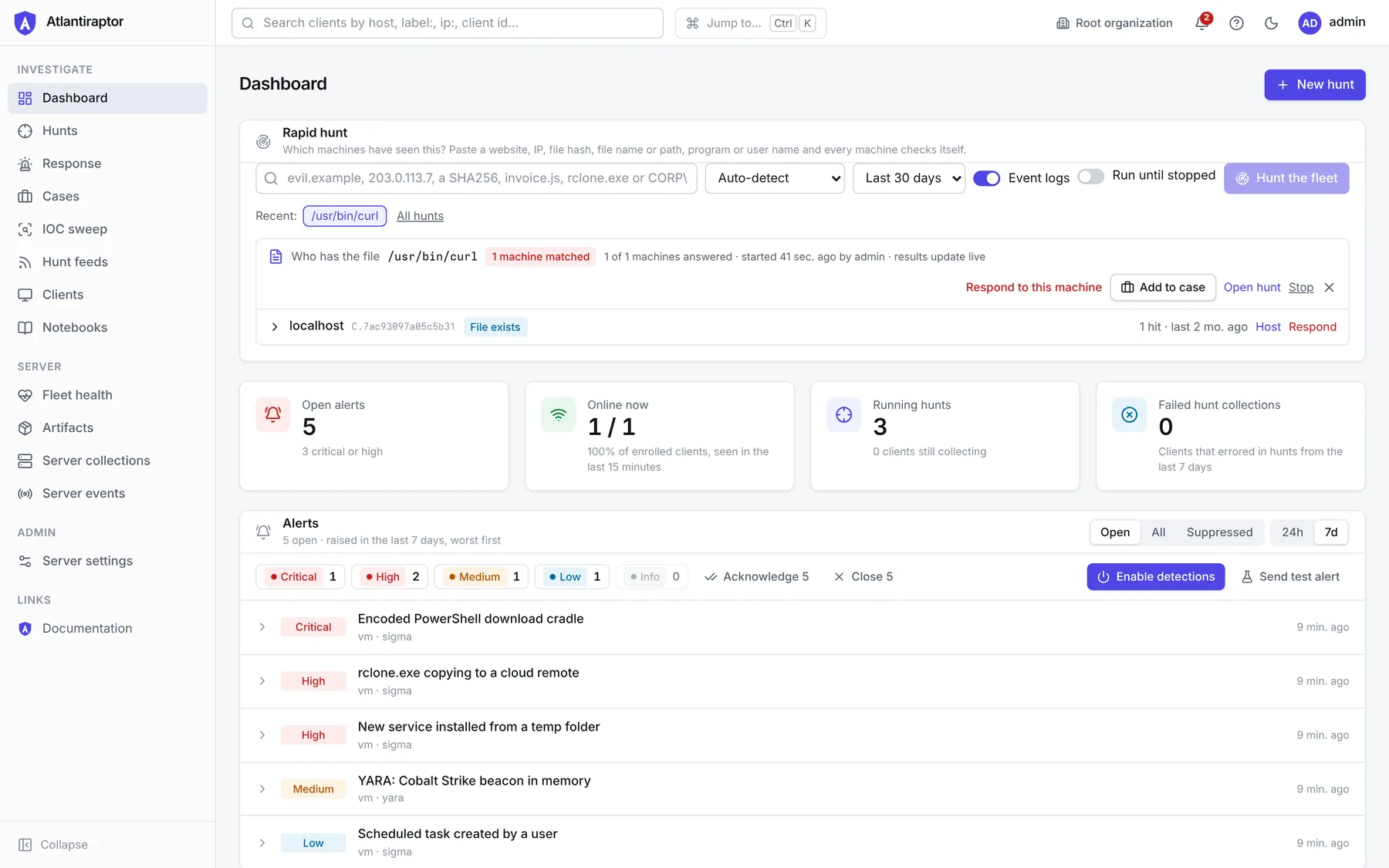
Rapid hunt answers the most common question in an investigation: which of my computers have seen this? You paste one thing, a website, an IP address, a file name, a hash, a program or a user name, and every connected computer checks itself and answers. Only computers with a match are listed.
You need a test lab or a server with at least one connected computer.
Try it with a website you visited
- On the computer with the agent, open a browser and visit a website, for
example
github.com. - In the console, open the Dashboard. The Rapid hunt box is at the top.
- Type
github.cominto the box. The console sees that it is a website and sets the kind to Web. - Press Enter, or click Hunt the fleet.
Within a few seconds the computer appears in the results, with what matched: which browser visited the site and when, and whether the computer looked the name up or still has a connection to it.
What each kind checks
| Kind | Example | Each computer checks |
|---|---|---|
| Web | evil.example, https://evil.example/x, 203.0.113.7 |
Browser history (Chrome, Edge, Brave, Vivaldi, Opera, Firefox), recent DNS lookups, live connections and the program that holds them |
| Hash | an MD5, SHA1 or SHA256 | Running programs, and files in user, temp and ProgramData folders |
| File | invoice.js, C:\Users\Public\a.exe |
That path, files with that name in common folders, running programs, and programs that ran recently |
| Process | rclone.exe |
Running programs and programs that ran recently |
| User | alice, CORP\alice |
Programs running as that user, the user’s profile folder, and sign-ins |
Websites, programs and users take seconds. Hashes and file names take a few minutes per computer, because the agent reads files on disk.
Computers that are switched off
By default a Rapid hunt runs for one hour: computers that connect during that hour answer too. Turn on Run until stopped before you press Enter to keep it running until you stop it, so that a laptop that comes back from a holiday next week still answers.
Hunting from anywhere in the console
You don’t have to go to the dashboard:
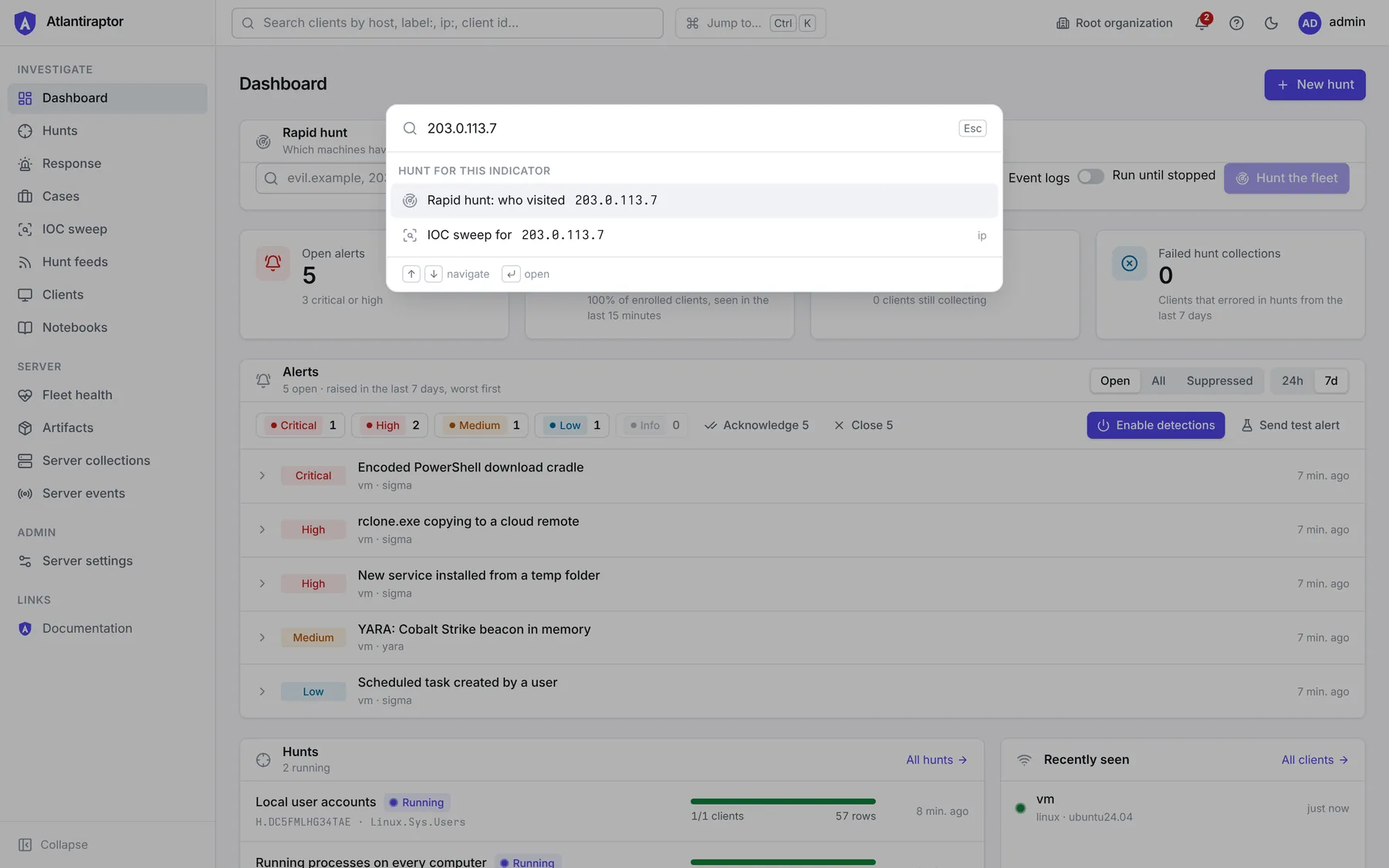
- Press Ctrl+K, paste the indicator and choose Hunt for this indicator.
- Click any value in a results table, such as an IP address or a file name, and choose to hunt for it.
- Paste several indicators at once and the console sends them all to an IOC sweep.
When something matches
Next to each match:
- Respond to this machine opens the response page with that computer selected, to quarantine it or kill a program.
- Add to case keeps the indicator and the matches in a case for your investigation.
- Click the computer’s name to look at it more closely.
Next step
Everyday tasks: collect a file, capture memory, get the browser history and more.
For every option, see Rapid hunt in the console guide.