
Secrets
Many artifacts need credentials: an S3 bucket to upload to, a Splunk or Elastic token, an SMTP server for mail, a cloud tenant to hunt. Typing them into artifact parameters would put them in collection requests, logs and exports for anyone to read. A secret stores them on the server instead. Queries refer to the secret by name, and the plugin that needs the credential reads it directly: the VQL query, and the user running it, never see the values.
Adding a secret
Open Secrets (server administrators), pick a type, and Add secret:
- Name: how VQL refers to it, such as
evidence-bucket. - The Fields for this type (see below). Each type has a template with sensible defaults.
- Shared with: users who may use the secret in their queries. Server administrators always can.
- In the root organization, Visible to all organizations shares the secret with every org.
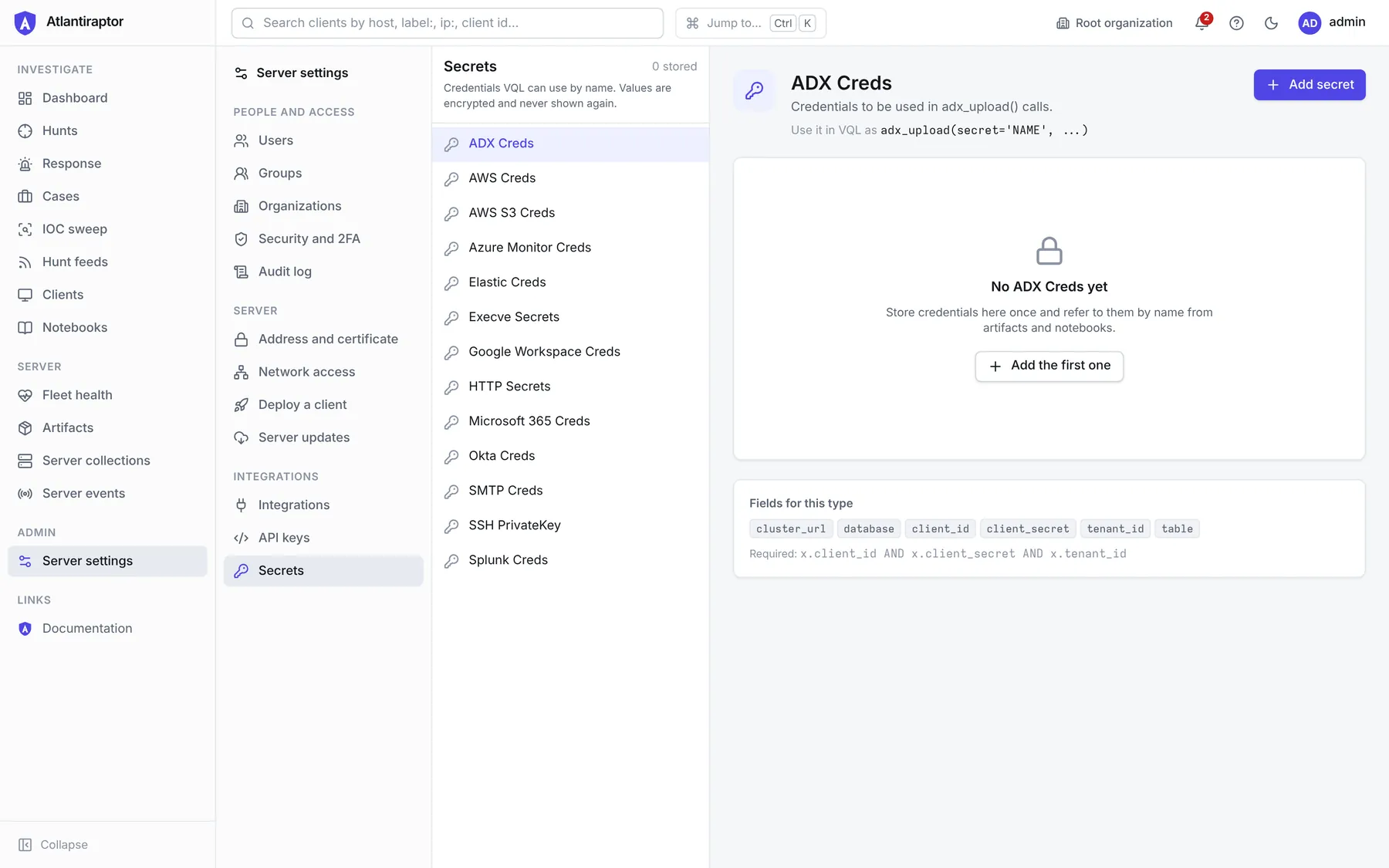
Values can’t be read back. Replace values overwrites them, and Delete secret removes it.
Secret types
| Type | Used by | Fields |
|---|---|---|
| AWS S3 Creds | upload_s3(), offline collectors |
region, credentials key, secret and token, endpoint, encryption options |
| SSH PrivateKey | upload_sftp(), the ssh accessor |
username, password or private key, hostname, host key |
| HTTP Secrets | http_client() |
URL (or URL regex), method, headers, parameters, cookies, CA certificate |
| Splunk Creds | splunk_upload() |
URL, token, index, source |
| Elastic Creds | elastic_upload() |
addresses, index, username and password or API key, cloud ID |
| ADX Creds | adx_upload() |
cluster URL, database, table, Entra app ID, secret, tenant |
| Azure Monitor Creds | azure_monitor_upload() |
logs ingestion endpoint, DCR, stream, table, Entra app credentials |
| SMTP Creds | mail() |
server, port, username, password, from address |
| Microsoft 365 Creds | Cloud.M365.* |
tenant ID, client ID, client secret |
| Google Workspace Creds | Cloud.GoogleWorkspace.* |
service account JSON, admin email |
| Okta Creds | Cloud.Okta.* |
org URL, API token |
| AWS Creds | Cloud.AWS.* |
access key, secret, session token, role ARN, external ID, regions |
| Execve Secrets | execve() |
a command line prefix that every execve() call using the secret must start with |
The page shows, for each type, how to use it, for example
upload_s3(secret='NAME', ...) or M365Secret='NAME' for the Microsoft 365 hunts.
Using a secret
SELECT upload_s3(secret="evidence-bucket",
                 file="C:/Windows/Temp/memory.raw",
                 name="ws-0142/memory.raw")
FROM scope()
The secret’s fields fill in the plugin’s credential and destination arguments, replacing any you pass in the query.
A secret is used where the query runs. Secrets are for server-side VQL: server artifacts, notebooks and server event artifacts (for example the forwarders in Integrations). Client artifacts can’t use server secrets, with one exception: offline collectors include the credentials for their upload target.
Enforcing secrets
security:
  vql_must_use_secrets: true
With this set, plugins that accept credentials refuse them as plain arguments and accept only a secret name. Administrators then decide which destinations are allowed by deciding which secrets exist and who they are shared with.
Protecting stored secrets
Secrets are stored encrypted in the datastore. The key is set by
security.secrets_dek:
- empty (the default): derived from the server’s private key, so a copy of the datastore without the configuration file can’t decrypt them,
env://VARIABLE: taken from an environment variable, so the key isn’t in the configuration file either.
Changing the key makes existing secrets unreadable; add them again.