
Finding and organizing clients
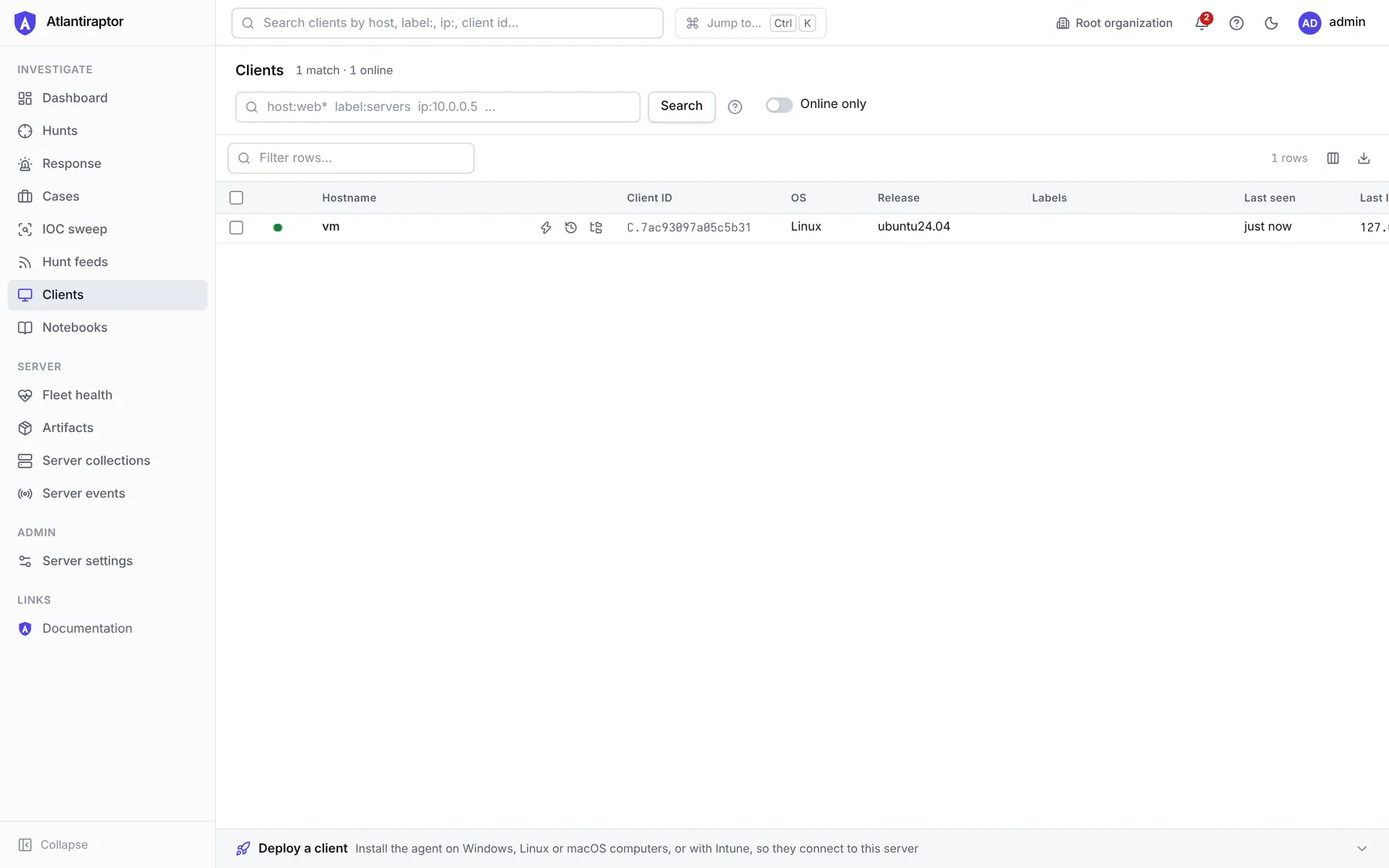
Every endpoint with the agent is a client. The Clients page lists them, and the search box in the top bar finds them from anywhere.
Searching for clients
Type in the top bar’s search box, or on the Clients page. Plain text
matches host names (wildcards allowed: web*, *-dc-*). Prefixes narrow
the search:
| Search | Finds |
|---|---|
host:web01 |
Host name |
label:finance |
Clients with this label (label:none finds clients without labels) |
ip:10.1.2.3 |
Last seen IP address (a prefix like ip:10.1. works too) |
mac:00:1a:2b |
MAC address |
client:C.1a2b3c |
Client ID |
recent: |
Clients you viewed recently |
all |
Every client |
department:sales |
Client metadata, for keys listed in defaults.indexed_client_metadata |
On the Clients page, quick filters show clients seen in the last day, clients with a label, and your recent clients. The list shows each client’s host name, operating system, agent version, labels, last IP address and when it was last seen (green when online).
Select clients with the checkboxes to add or remove labels, or delete them, in bulk.
Labels
Labels are tags on clients, such as servers, finance, vip,
site-london or under-investigation. They are how you target hunts,
client monitoring and response actions at a group of machines.
- Add or remove labels on the Clients page (select clients, Add labels), on a host page, or in a hunt’s results.
- At install time: put
Client.labelsin the client configuration (see Deploying agents). - From VQL:
label(client_id=..., labels=["x"], op="set")(orremove).
Automatic labels
Label clients automatically from facts about them, so new machines end up in the right groups. For example, a server event artifact that watches interrogations and labels domain controllers:
name: Custom.Server.AutoLabel.DomainControllers
type: SERVER_EVENT
sources:
  - query: |
      SELECT label(client_id=ClientId, labels="domain-controllers", op="set")
      FROM watch_monitoring(artifact="System.Flow.Completion")
      WHERE Flow.artifacts_with_results =~ "Generic.Client.Info"
        AND client_info(client_id=ClientId).os_info.release =~ "Server"
        AND client_info(client_id=ClientId).os_info.hostname =~ "-DC"
Run it under Server events. A hunt that ends with a label() call is
another way: hunt for a condition (say, software installed) and label every
client that has it.
Labels used by Atlantiraptor
Network quarantine adds the label Quarantine to the host while it is
isolated, so you can find quarantined machines with label:quarantine.
Metadata
Metadata are key/value pairs on a client, for information that labels don’t
fit: owner, location, asset tag, ticket number. Edit them on the host page
under Metadata. To search by a key, add it to
defaults.indexed_client_metadata in the server configuration, then search
key:value.
Metadata can also be set from VQL with client_metadata() and
client_set_metadata(), for example to import owners from a CMDB in a
scheduled server artifact.
Interrogation
When a client first enrolls, and whenever you ask, the server runs
Generic.Client.Info, which collects the host name, operating system,
architecture, users, network interfaces and agent version. This is what the
client list and host page show. Refresh it from the host page’s menu
(Interrogate) when something changed, such as a renamed machine.
Deleting clients
Deleting a client removes it and all of its collected data. Use it for machines that were decommissioned or reimaged. If the agent is still installed, it enrolls again as a new client the next time it connects. To stop an agent for good, uninstall it first (or use the Uninstall agent response action).