
Browsing files and the registry
Files (in the Client part of the sidebar) lets you browse a client’s file systems and Windows registry as if you were on the machine, and download any file. This is the virtual file system (VFS): a copy on the server of what the client reported, refreshed when you ask.
Views
Pick how to read the client’s disks:
| View | Reads | Use it for |
|---|---|---|
| file | The file system as the operating system sees it | Everyday browsing |
| auto | The file system, falling back to raw NTFS for locked files | Windows, when some files are in use |
| ntfs | The raw NTFS file system (Windows), including deleted and locked files, alternate data streams and NTFS metadata | Forensics |
| registry | The Windows registry, through the API | Browsing keys and values |
These are VQL accessors; the same paths work in artifacts and notebooks.
Browsing
The server only knows the folders the client has listed. When you open a folder for the first time, or want fresh data:
- List this folder from the client refreshes the current folder.
- List everything below this folder lists every subfolder recursively (up to 10 levels). It can take a while on big folders.
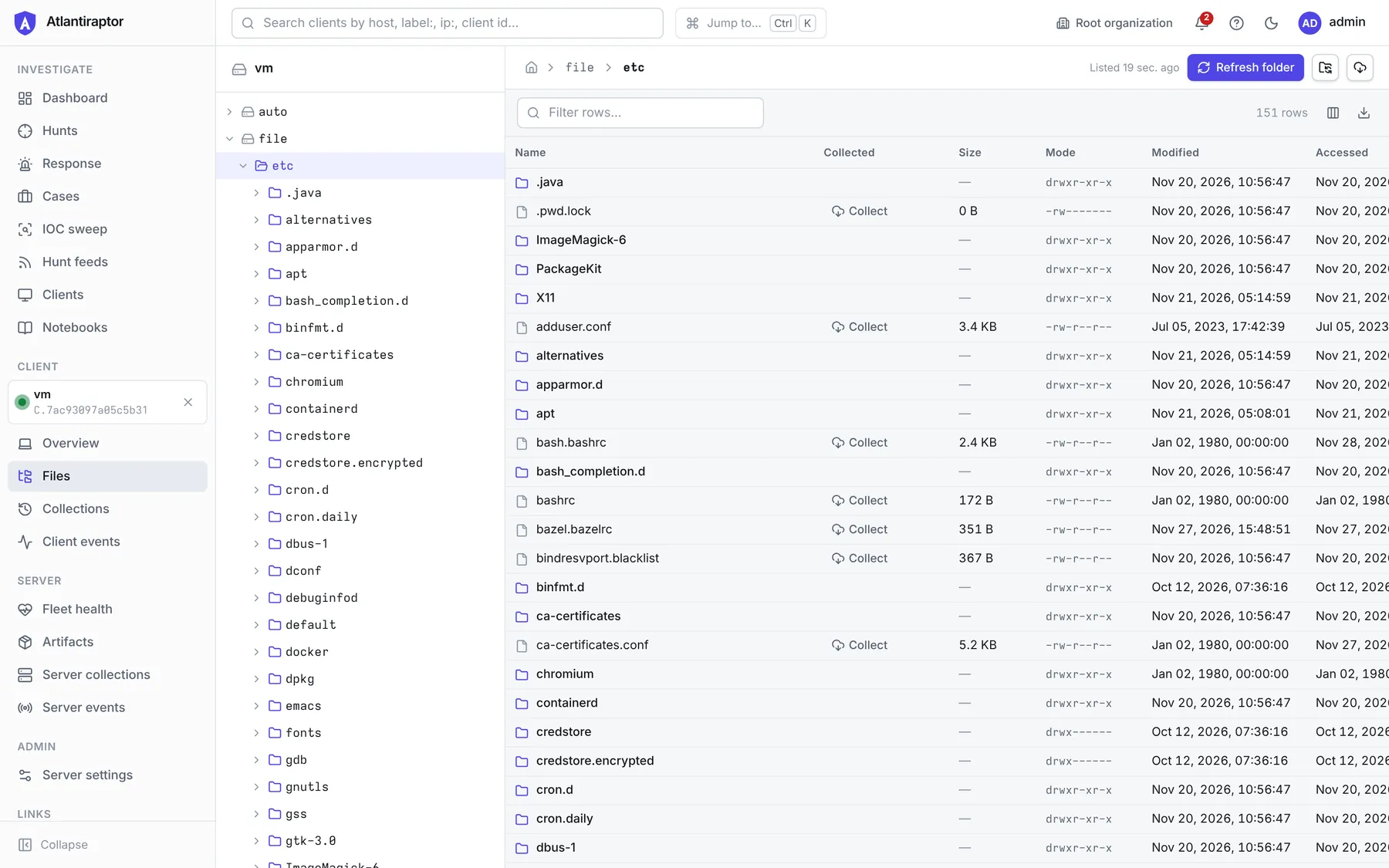
Each entry shows size, timestamps (modified, accessed, changed, born) and, for NTFS, its MFT entry and attributes. Click a file for its details and any previous downloads.
Downloading files
- Select a file and Collect from the client to fetch it. The file is stored on the server with its hashes; download it from the file’s details or from the collection’s Files tab.
- Collect all files here fetches every file in this folder and below. Use it with care on large folders.
- Locked files (registry hives,
$MFT, in-use databases) can be fetched through the ntfs or auto views.
Each refresh and download is a collection of a
System.VFS.* artifact, recorded with who started it.
Previewing
Small text files and registry values can be viewed in the browser. A hex view shows binary content. For anything that might be malware, download a password-protected zip instead of opening it.
When to use something else
Browsing is great for one machine and a known path. To look for files
across many machines, or by content, use a hunt with
Windows.Search.FileFinder or Generic.Detection.Yara.Glob, or
Rapid hunt for a file name or hash. To collect many
files at once, use a collection of Generic.Collectors.File (or the imported triage
artifacts) (see File collection).